> ## Documentation Index
> Fetch the complete documentation index at: https://docs.ryft.io/llms.txt
> Use this file to discover all available pages before exploring further.
# AWS PrivateLink Setup
> Set up AWS PrivateLink for secure private connectivity between your VPC and Ryft services. Covers endpoint creation and load balancer configuration.
## Overview
Ryft supports AWS PrivateLink to enable secure and private connectivity between your VPC and Ryft services without exposing traffic to the public internet.
This guide provides step-by-step instructions to set up AWS PrivateLink for Ryft.
#### AWS PrivateLink
1. Follow the instructions [here](https://docs.aws.amazon.com/vpc/latest/privatelink/create-endpoint-service.html) to setup the PrivateLink endpoint in your AWS account, and share the endpoint details with Ryft support.
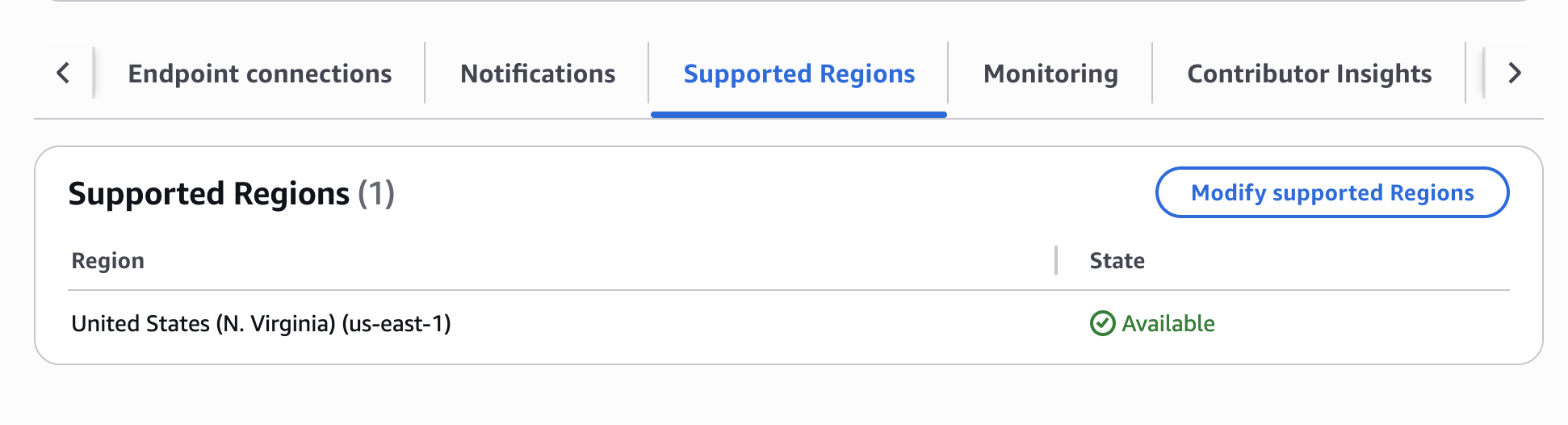
2. Ensure that `us-east-1` is one of the supported regions in your PrivateLink Endpoint Service configuration
 3. Add the Ryft AWS account ID `864981746572` as a permitted principal for your PrivateLink endpoint. If you are setting up a BYOC deployment, add the account ID of your data plane account as well.
4. If you setup the PrivateLink to require manual approval, please approve the connection request from Ryft after the setup.
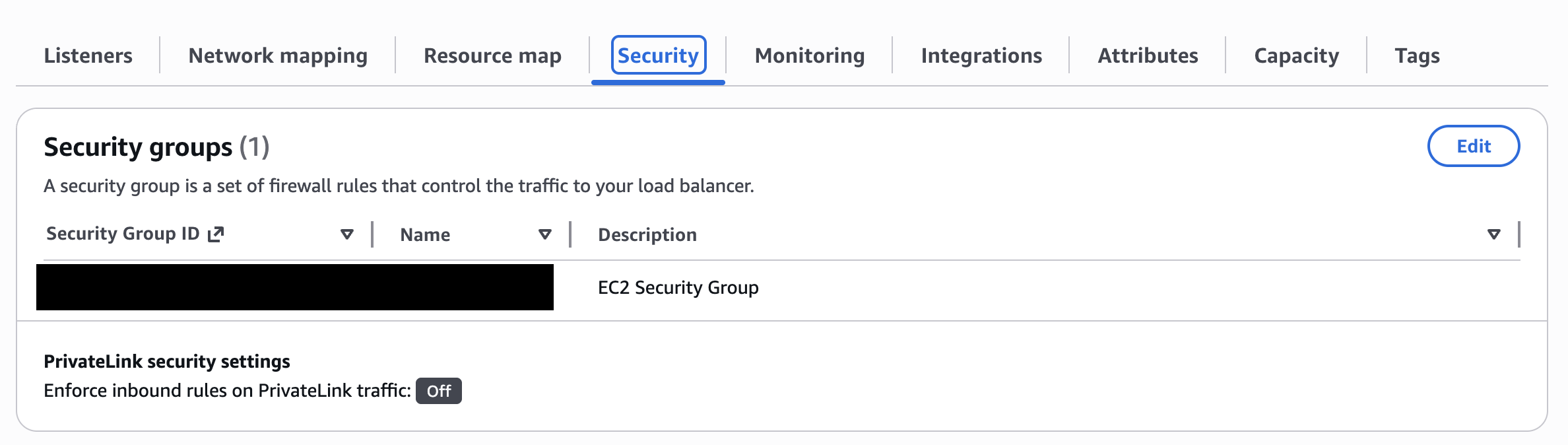
5. Ensure that `Enforce inbound rules on PrivateLink traffic` is set to **Off** on the Load Balancer associated with the PrivateLink endpoint service.
3. Add the Ryft AWS account ID `864981746572` as a permitted principal for your PrivateLink endpoint. If you are setting up a BYOC deployment, add the account ID of your data plane account as well.
4. If you setup the PrivateLink to require manual approval, please approve the connection request from Ryft after the setup.
5. Ensure that `Enforce inbound rules on PrivateLink traffic` is set to **Off** on the Load Balancer associated with the PrivateLink endpoint service.
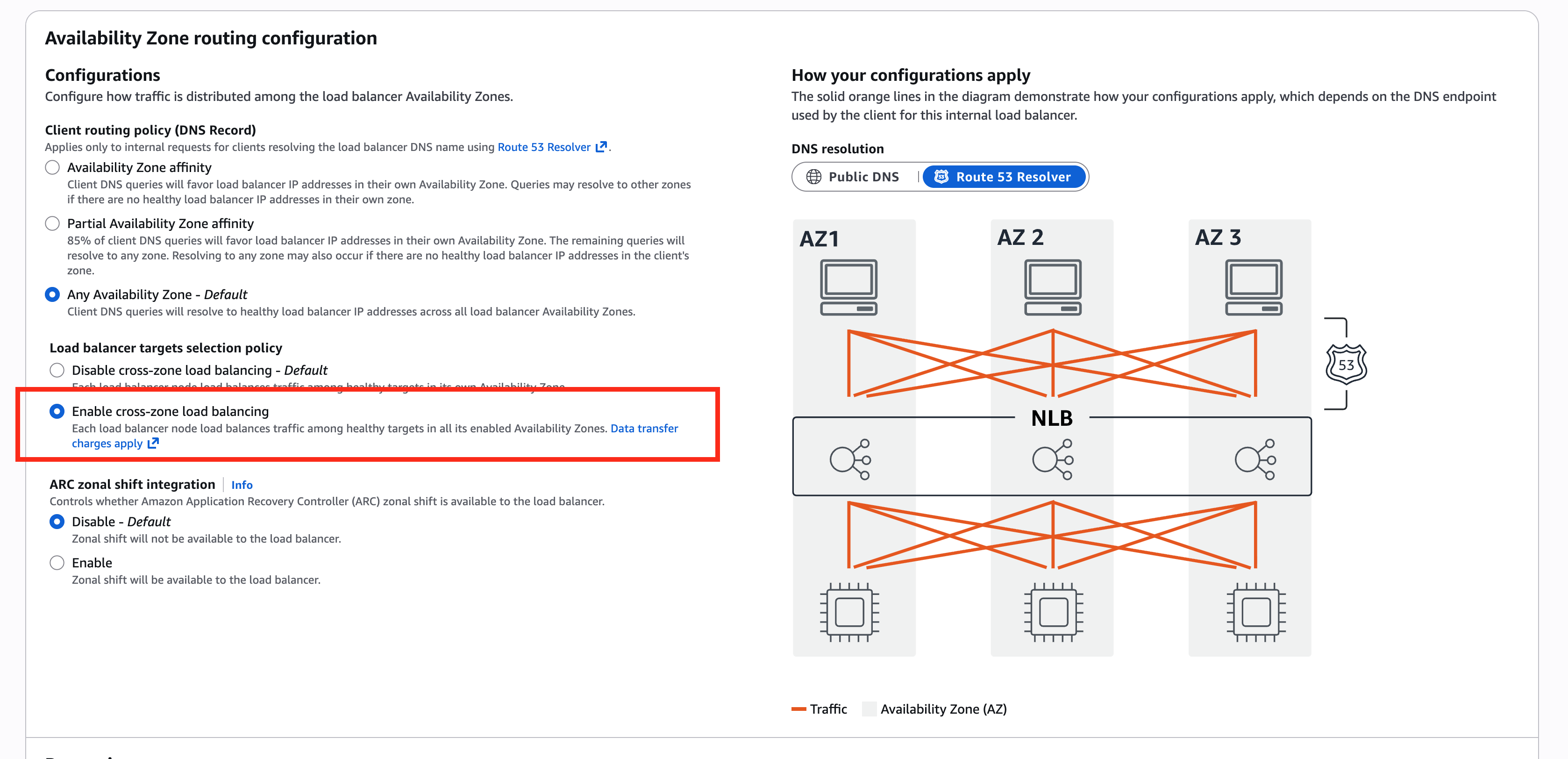
 6. Check "Enable cross-zone load balancing" in the configuration of the Load Balancer associated with the PrivateLink endpoint service.
 Provide the service name of your PrivateLink endpoint to Ryft to finalize the setup.