

Overview
The Asset Explorer provides visibility into all Iceberg tables in your lakehouse in an easy-to-use workbench, including all their properties, storage metrics and usage statistics. It empowers teams to:- Analyze usage - learn which tables are very popular and require additional optimizations, and which tables aren’t used and can be cleaned up
- Inspect storage utilization - identify who are the largest tables, how much of their storage is used for active snapshots vs. old snapshots, etc.
- Validate configurations - ensure all tables are managed properly, and have the right configurations and properties set up
Saved Views
The Asset Explorer includes several saved views that can assist in common use cases.- New Tables - all the new tables added to Ryft - useful for monitoring lakehouse usage and validating proper configuration
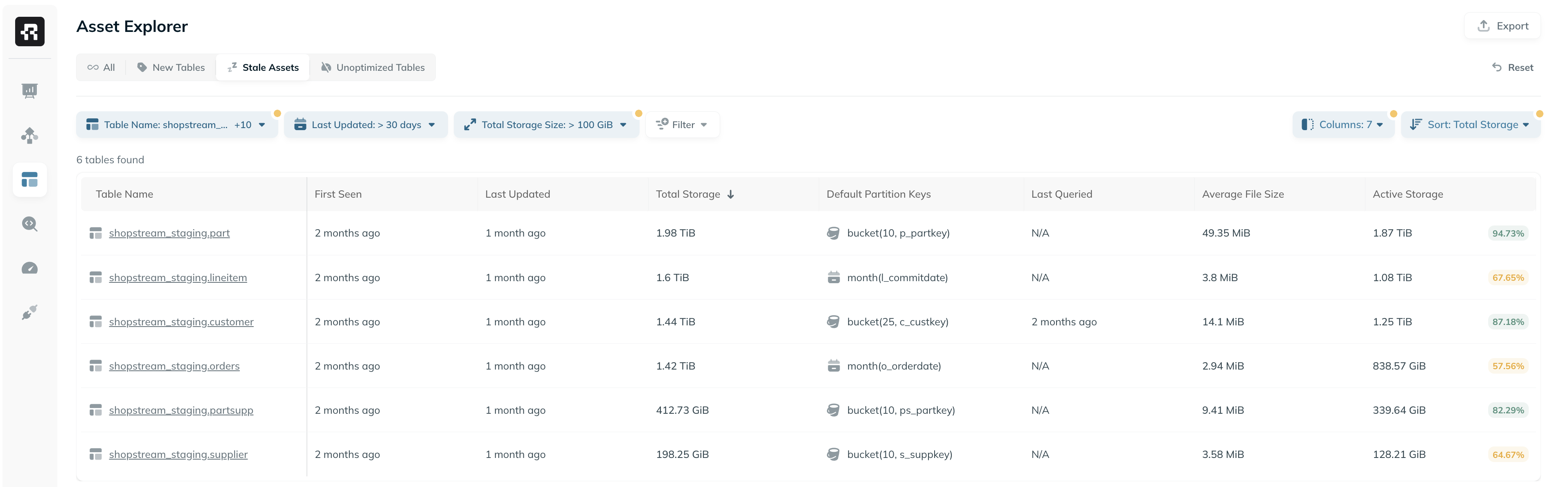
- Stale Tables - all tables that weren’t updated in the past month - useful for detecting errors or storage waste
- Unoptimized Tables - tables that aren’t currently managed by Ryft
Columns & Filters
The Asset Explorer supports dynamic viewing, filtering and sorting of many fields, allowing you to analyze your lakehouse assets from different angles. You can view, filter and sort by:- Table configuration, including Default Partition Keys, Default Sort Order, Write Strategy, and any table property defined for the table
- Storage metrics, including Total Storage, Active Storage, Average Partition Size and Average File Size
- Usage metrics, including Query Count and Last Queried
- And many more…
Additional Capabilities
- Export - export filtered results to a CSV file. All exported values are unformatted for easier post-processing - durations in milliseconds, sizes in raw bytes, etc.
- Shareable URLs - the current view can be shared with team members simply by sending the current URL. All filters, columns and sorts are encoded in the URL.