

Overview
Ryft supports AWS PrivateLink to enable secure and private connectivity between your VPC and Ryft services without exposing traffic to the public internet. This guide provides step-by-step instructions to set up AWS PrivateLink for Ryft.AWS PrivateLink
- Follow the instructions here to setup the PrivateLink endpoint in your AWS account, and share the endpoint details with Ryft support.
- Ensure that
us-east-1is one of the supported regions in your PrivateLink Endpoint Service configuration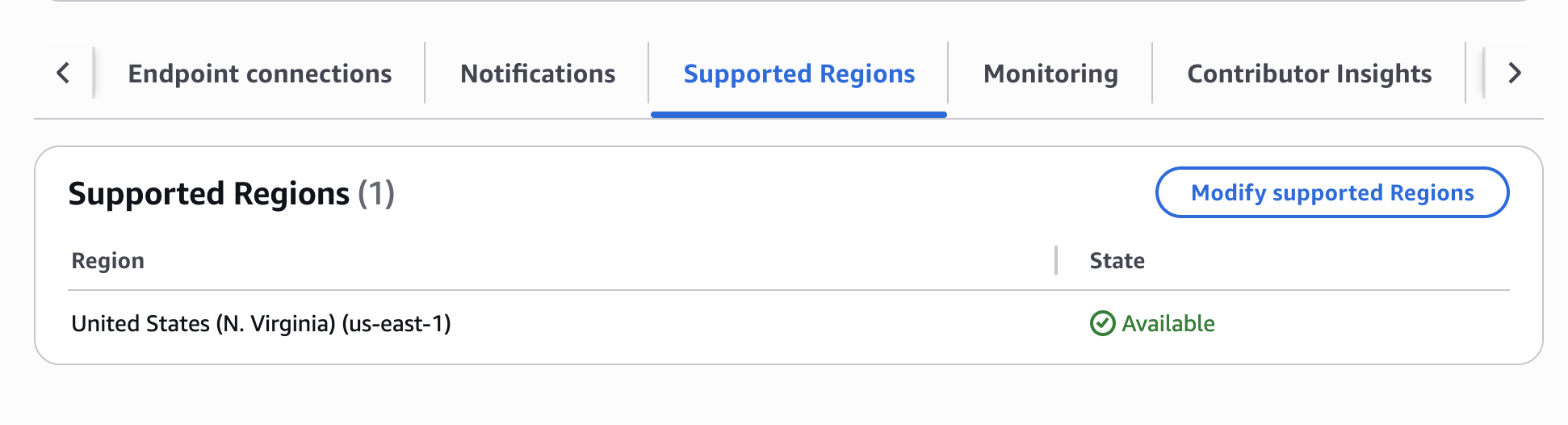
- Add the Ryft AWS account ID
864981746572as a permitted principal for your PrivateLink endpoint. If you are setting up a BYOC deployment, add the account ID of your data plane account as well. - If you setup the PrivateLink to require manual approval, please approve the connection request from Ryft after the setup.
- Ensure that
Enforce inbound rules on PrivateLink trafficis set to Off on the Load Balancer associated with the PrivateLink endpoint service.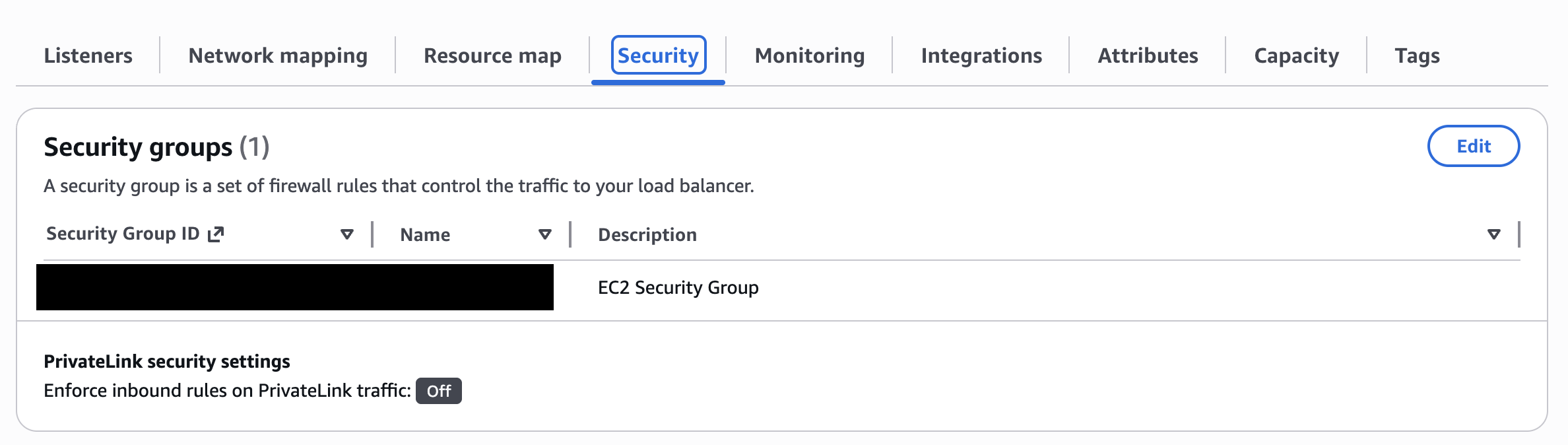
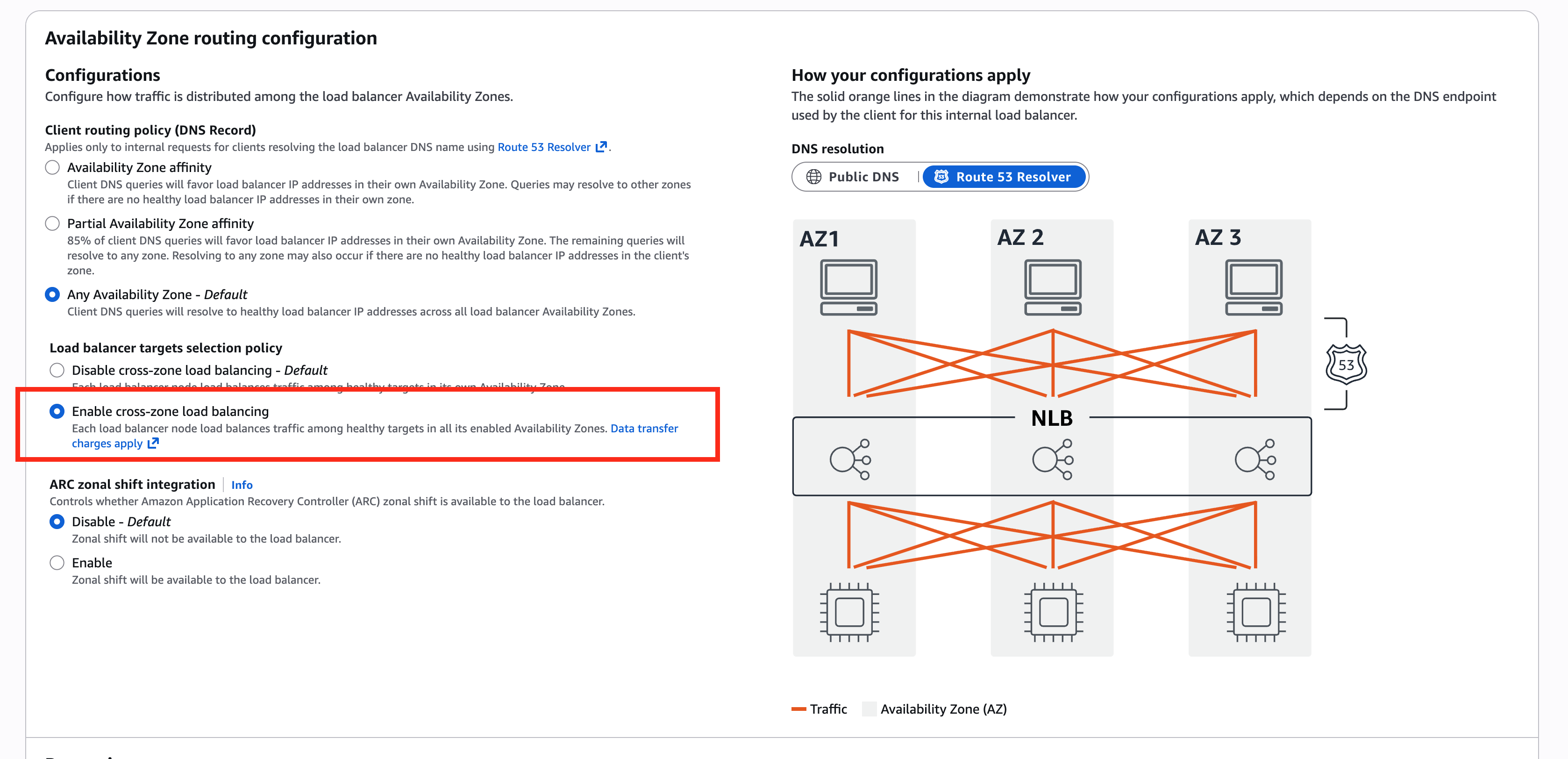
- Check “Enable cross-zone load balancing” in the configuration of the Load Balancer associated with the PrivateLink endpoint service.
Provide the service name of your PrivateLink endpoint to Ryft to finalize the setup.