Intelligent Self-Tuning
Ryft continuously adapts to real-time workload patterns, ensuring that table structure and performance remain optimal as data evolves, without manual work. By dynamically adjusting compaction operations and metadata maintenance based on usage patterns, Ryft minimizes performance bottlenecks and maximizes query efficiency.Customization & Visibility
All management settings are fully customizable, so teams that require fine-tuned adjustments can configure parameters to match specific workload needs. Ryft also provides detailed visibility into management operations, allowing you to monitor the impact on query performance and resource utilization.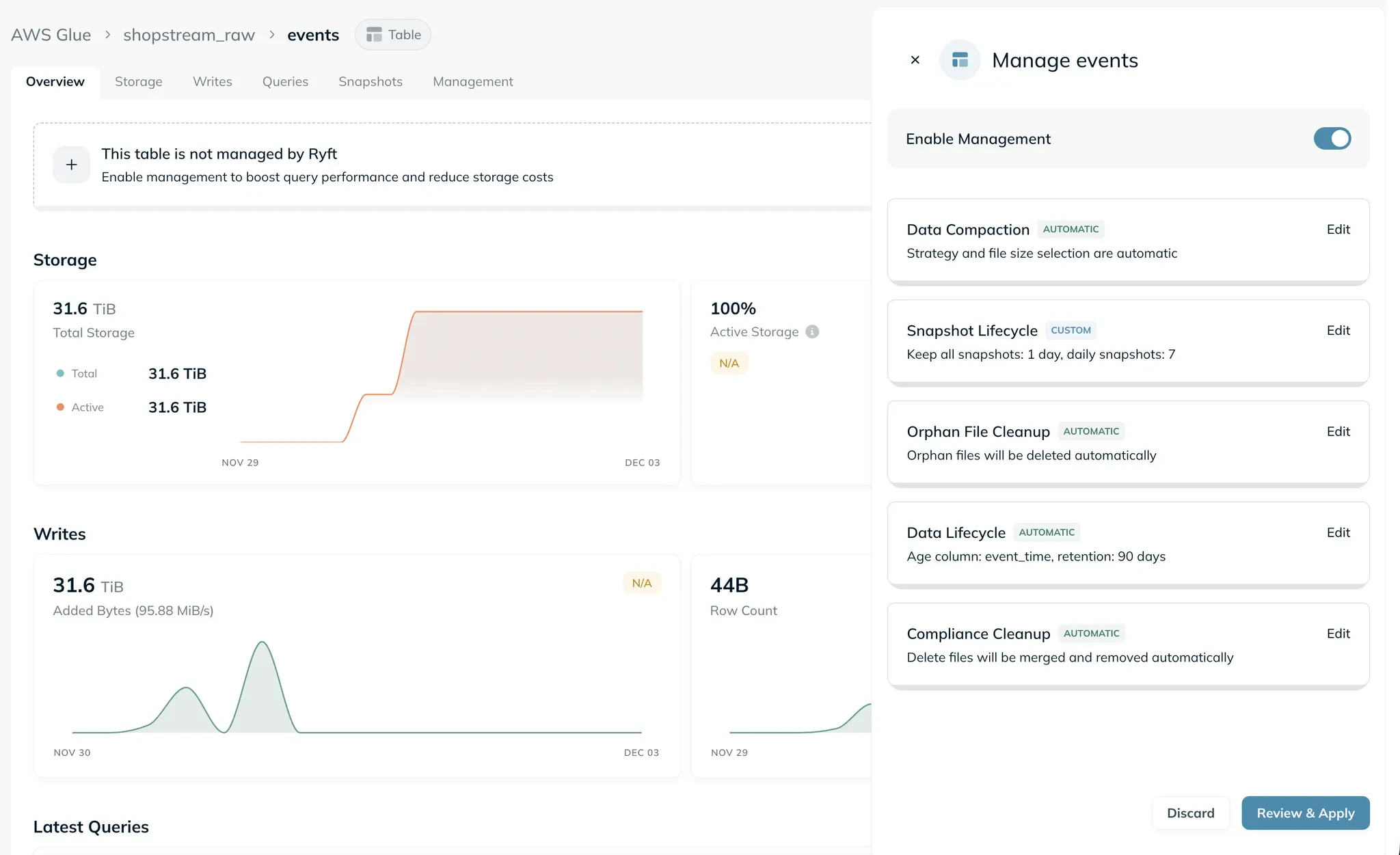
Management Scope
Management can be enabled at three levels, with settings flowing down from broader to narrower scopes:Catalog
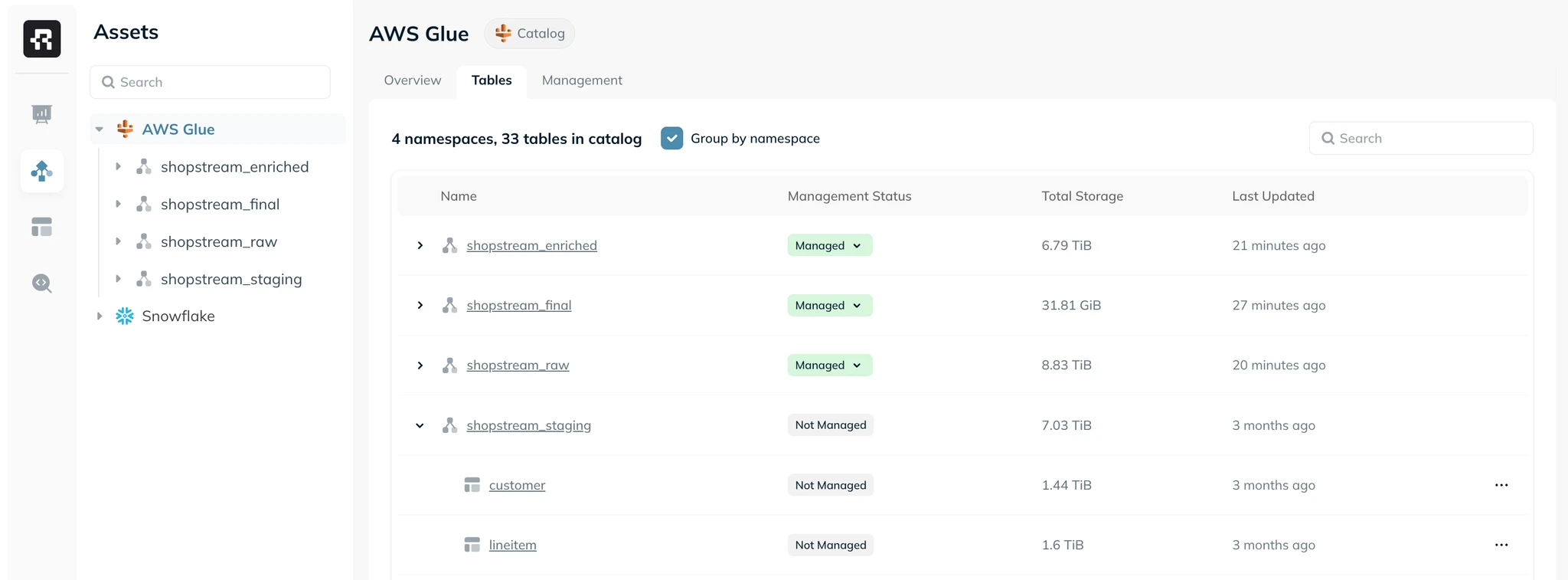
Enabling management at the catalog level applies to all current and future tables in the catalog. This is the simplest way to get started - one action covers your entire catalog.Namespace
Enabling management at the namespace level applies to all current and future tables in the selected namespace. Namespace-level settings take precedence over catalog-level settings.Table
You can enable or customize management for a specific table. Table-level settings always take precedence over namespace-level and catalog-level settings.Example
- Enable management at the catalog level with automatic settings across the board.
- Override Snapshot Lifecycle settings for the
bronzenamespace to use a longer retention window. - Override Data Compaction for the
bronze.enriched_eventstable to use a custom sort strategy. - Result:
bronze.enriched_eventsuses custom compaction but inherits all other settings from thebronzenamespace. Thebronzenamespace uses custom snapshot lifecycle but inherits everything else from the catalog. All other tables use the catalog defaults.
Management Settings
Each managed scope includes configuration for the following procedures:- Data Compaction — merges small files into larger, more efficient ones
- Snapshot Lifecycle — manages snapshot retention, recovery points, and expiration
- Orphan File Cleanup — removes unreferenced files from storage
- Compliance Cleanup — physically applies pending deletes to data files
- Data Lifecycle — manages data retention and tiering policies
Using Managed Tables
Enable management by clicking “Enable Management” on any table, namespace, or catalog page. You can accept the automatic defaults or customize settings before applying. Once enabled, you can manage and monitor your tables through:- Management tab — view and configure settings, and track recent runs for any table, namespace, or catalog.
- Tables tab — available on namespace and catalog pages, showing all tables with their management status.
- Asset Explorer — filter and sort tables by management status across your entire lakehouse.